Client report
Client Report
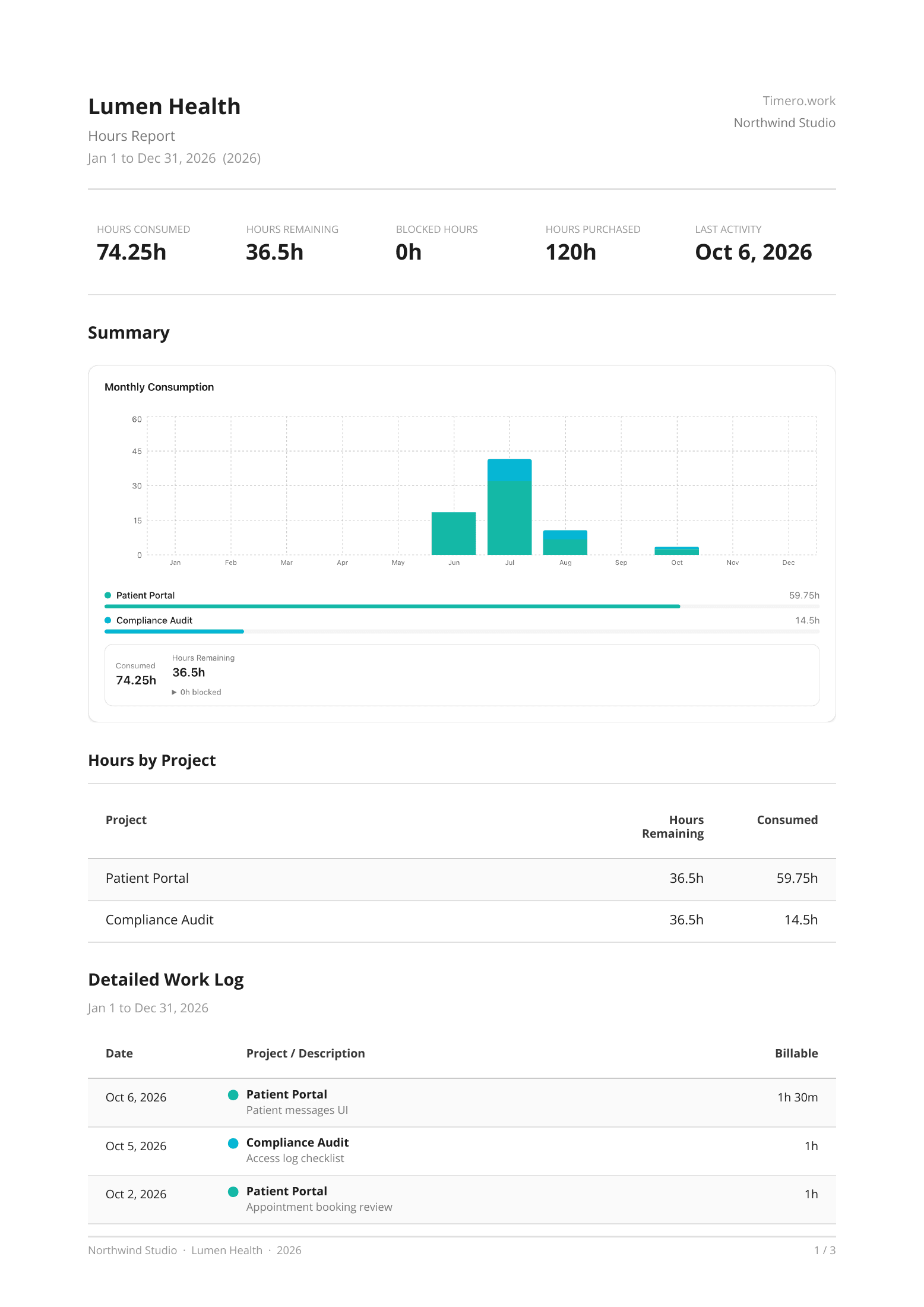
Hours consumed, remaining and purchased, a month-by-month chart, hours by project and the full work log. One click from the client page.
Log time on a calendar or with a live timer, pull in your Google Calendar, and see hours by client, project and person. Send each client a clear report of the work, as a PDF or CSV.
Free plan, no card. Paid plans start with 14 days free.
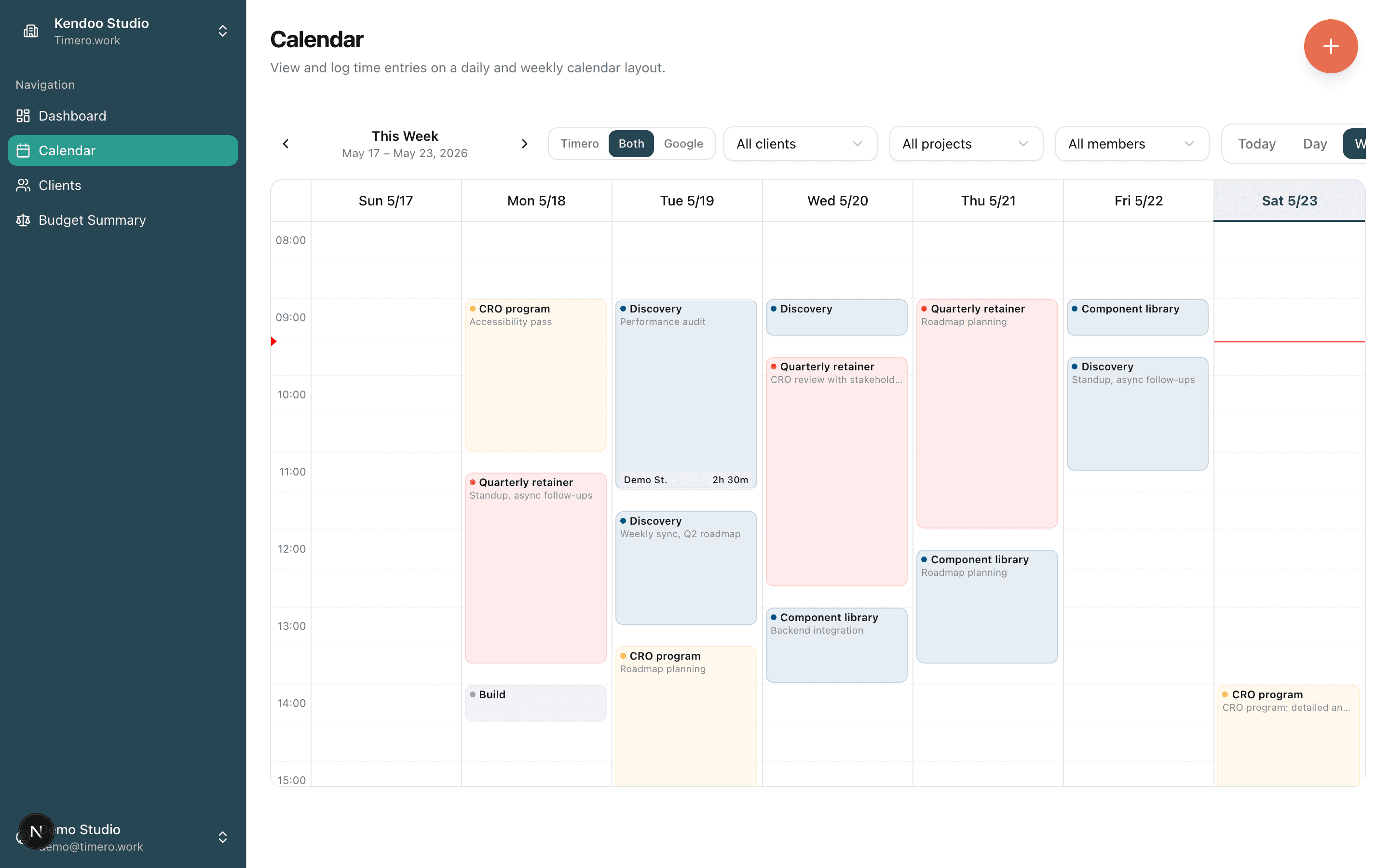
Drag across the hours you worked, or pull your Google Calendar meetings in with one click.
Check in, pick the client and project, check out. The timer writes the entry for you.
Open a client, pick the month or the year, and export a PDF or CSV with every entry in it.
Not screenshots of a report screen. The actual PDFs Timero generates, formatted for invoicing and budget reviews. Two examples below, captured from a real export.
Hours consumed, remaining and purchased, a month-by-month chart, hours by project and the full work log. One click from the client page.
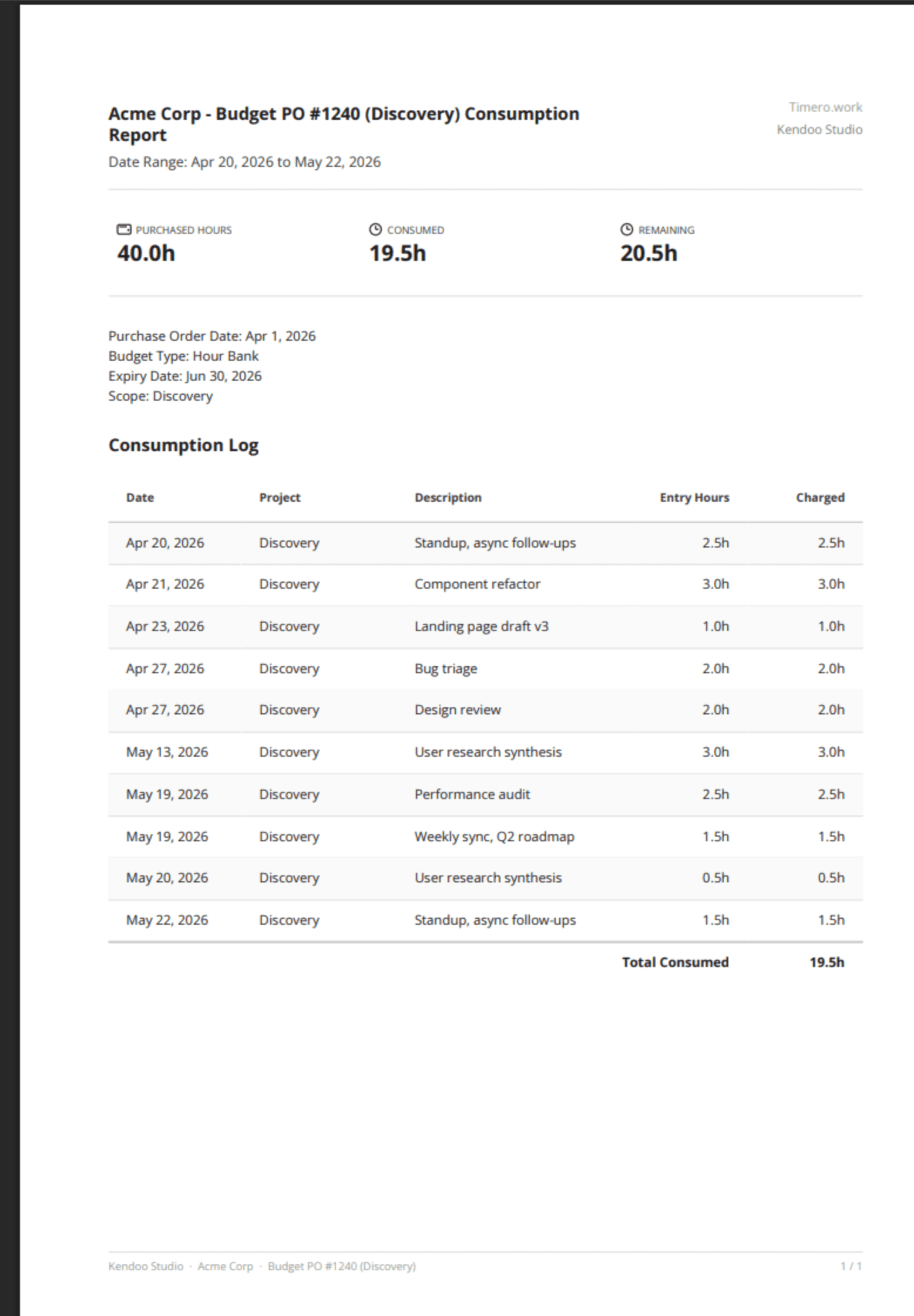
One budget: hours purchased, charged and left, and every entry charged to it.
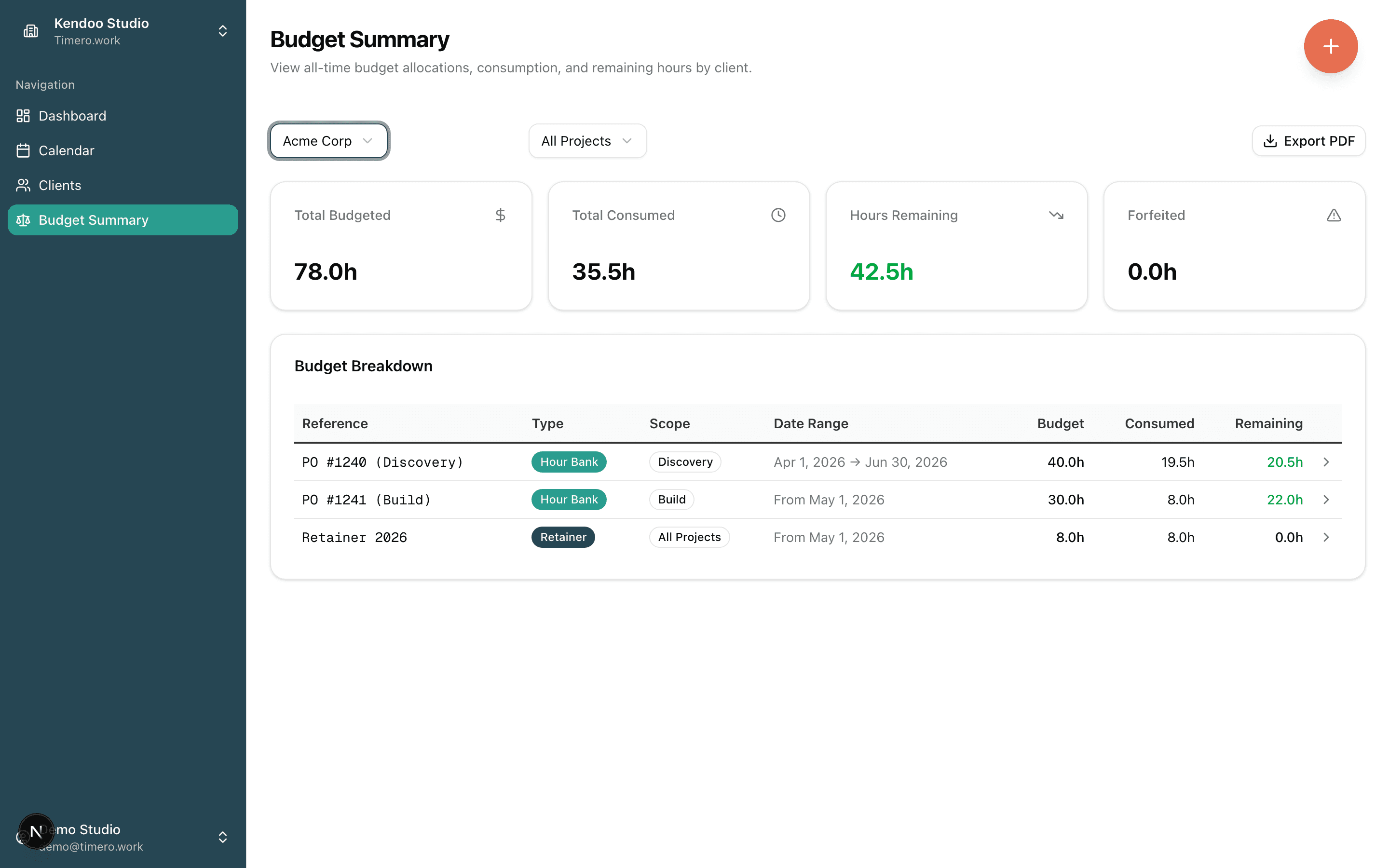
Drag across the hours to log them, click an entry to edit it, and pull Google Calendar meetings in with one click. Or check in and let the timer write the entry.
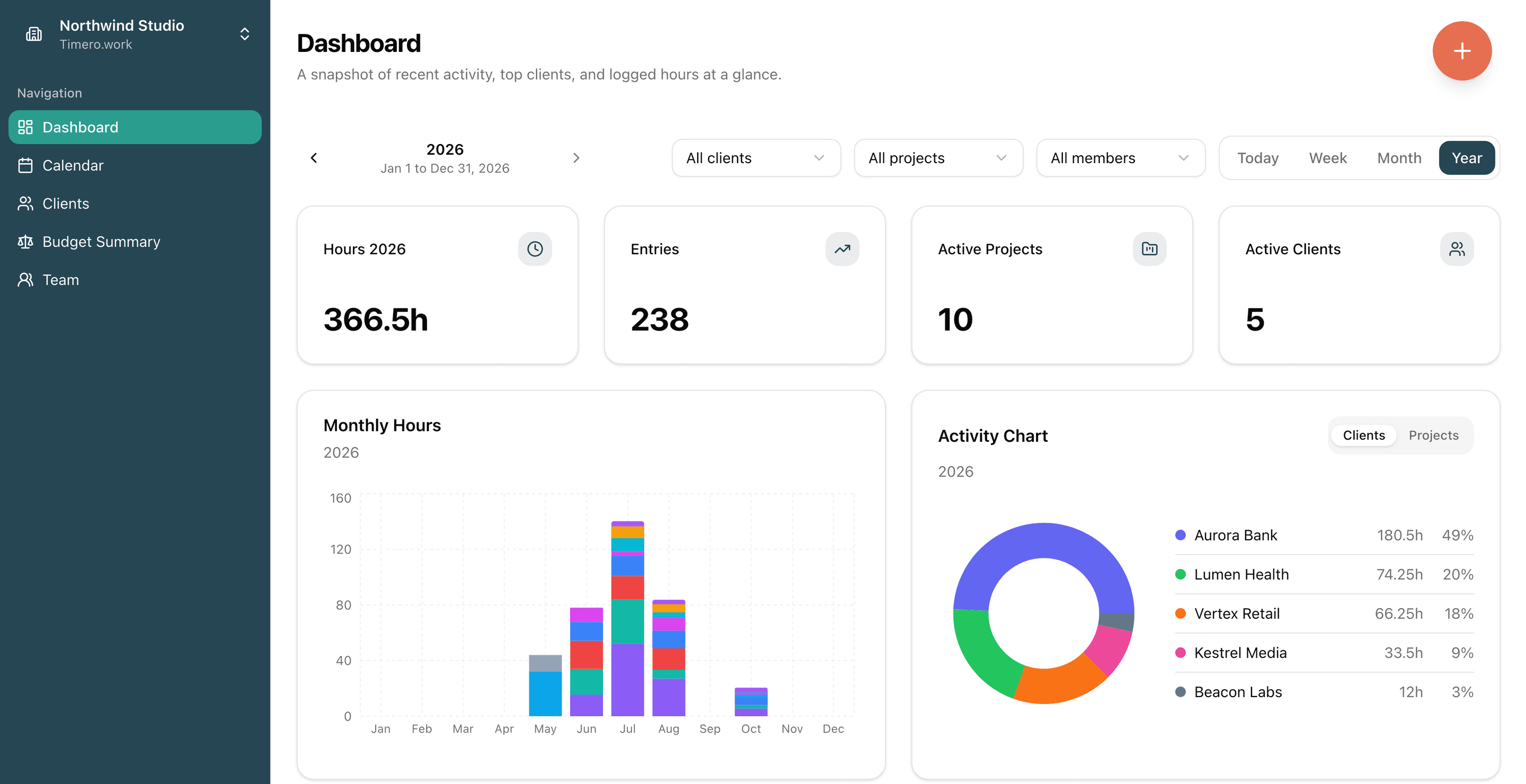
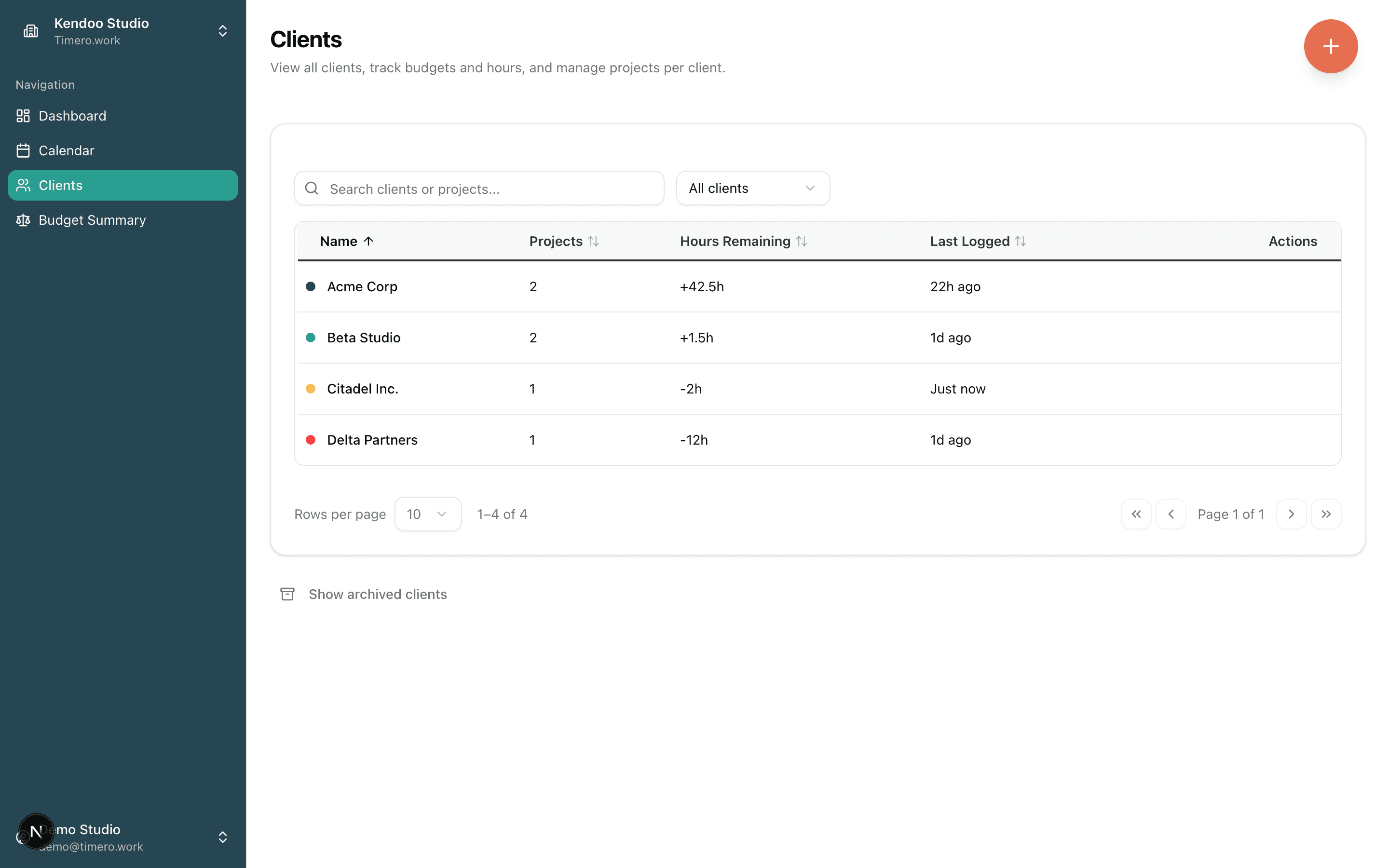
A searchable table of every client, with project count, last logged time and, if they buy hours up front, how many are left.
Drag to log. Tap to edit. Not a stripped-down read-only list.
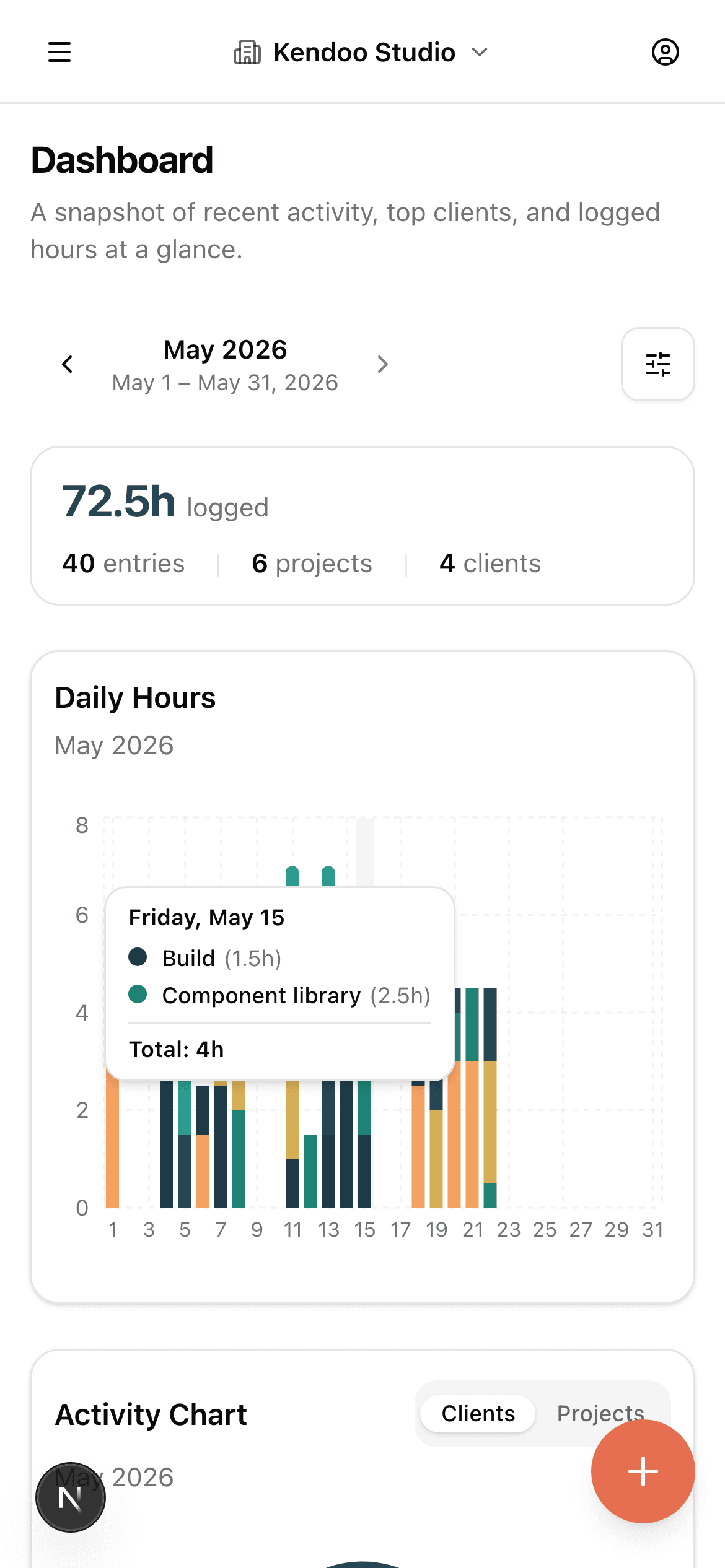
Some clients pay for a block of hours or a monthly retainer. Add it to the client and the hours you log are counted against it, so you know what is left before you send the invoice. Clients who pay as they go need nothing extra.
I run a consulting company. Twice, a month closed with a client retainer quietly overspent, and we swallowed the difference. The hours were logged; nobody saw the total until invoicing. I built Timero so that cannot happen to my team again: every budget is visible, live, the moment anyone logs time.
Timero is young, and I treat that as your advantage. When you write to support, the person who answers is the person who built it. If it is not for you, export your data and leave anytime. But if you bill on retainers, I believe it pays for itself the first time it catches a budget going over.
Drag on the calendar, or check in and check out. Client and project pre-filled from history.
Clone Google Calendar meetings in one click instead of typing them again.
Hours by client, project and person, exported as a PDF your client can read or a CSV for your own sheets.
Workspaces, per-member access, rounding and budgets, built in and covered by 1,200+ tests.
New workspaces start on the free plan: one person, any number of clients, three budgets, and PDF and CSV reports for nothing, with no card and no trial to run out. Paid plans add people and remove the budget limit, and start at €12.99 a month for the whole account, with a 14-day trial. Cancel anytime, and export your data whenever you want. Workspaces created before we introduced paid plans stay free.
See pricingYes. The calendar view is mobile-first: drag to log, tap to edit, the entry dialog adapts to the screen. Same data model as desktop, same Google Calendar layer, same right-click-to-clone gesture (long-press on touch).
See all featuresYes. Timero speaks the Model Context Protocol, so an assistant can log time, start the timer, and tell you what is left on a retainer. Claude and ChatGPT connect with a sign-in button; anything that takes a header uses a personal API key. It only ever sees the one workspace you approve, with your own role. The Claude and ChatGPT connectors come with every plan (50 requests a month on Free, 500 on Plus); API keys and unlimited use come with Pro.
How it worksYes to both. Both themes are deliberately designed, not just inverted. Sign in with Google, or with email and password. An invitation link brings a teammate into the right workspace with the right role.
Your data is stored in the EU, and so is our analytics. Analytics and advertising cookies are off until you accept them, and refusing changes nothing about how Timero works. We never send your name or email address to anyone, and we never record sessions inside your workspace.
How we run itYes. CSV exports come with every plan; PDF reports of time entries, budget consumption and balances come with every plan too (free PDFs carry a small Made with Timero line). The PDFs shown on this page are real exports straight from the app.
Email hello@kendoo.co. We're a small team; a person on our side reads and replies, usually within a few hours during EU work days.
Start on the free plan, no card. Paid plans have a 14-day trial. EU-hosted.